Shared Screen Play and Local Competition
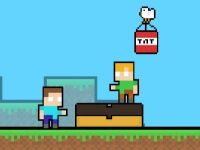
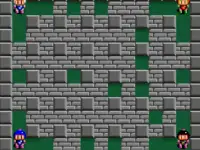
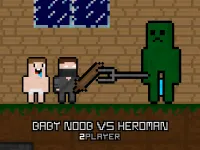
This tag organizes titles where two individuals interact on the same screen, often splitting keyboard controls or sharing a touch interface. The collection typically includes competitive versus matches and cooperative modes that require split-second timing or strategic coordination. Players can expect session-based pacing, quick loading, and direct interaction that defines local multiplayer play. These shared screen experiences are accessible without network setup.
Choosing Based on Pace and Control Style
Selection depends on preferred pacing, available time, and whether the goal is head-to-head competition or teamwork, with many titles offering quick rounds. Players often choose based on device support, such as keyboard sharing on desktop or split touch zones on tablets.
Control Splits and Device Compatibility
Most titles under this label rely on split keyboard layouts or divided touch areas to separate player inputs on one device. Desktop browsers typically support two-player keyboard schemes, while tablets may use screen quadrants or distinct touch zones depending on the title. Mobile phones often require smaller, simplified controls due to limited screen space, though many modern browser titles adapt layouts for readability. Session length varies from quick rounds to longer matches depending on the genre. Players should verify control support before starting, as input methods differ across devices.
Finding Better Matches Quickly
Filter by control type, such as keyboard versus touch, to ensure both players can interact comfortably. Maintain focus on session length, choosing quick rounds for short breaks or longer matches for extended play. Check device compatibility early to avoid control conflicts during play. Prioritize cooperative modes if teamwork is preferred over competition.
Why Local Multiplayer Still Matters
This tag remains useful for players seeking immediate shared play without online matchmaking or account creation. The format supports quick setup, direct interaction, and flexible session lengths suitable for casual or focused play. Players return to this section for reliable local competition or cooperation, making it a practical choice for shared screen interaction.
2 Player FAQs
Q: Do two-player keyboard controls work on all browsers? A: Most modern browsers support split keyboard layouts, though compatibility varies by title.
Q: Can tablets handle shared touch controls? A: Many titles adapt to tablet screens, using divided touch zones for two players.
Q: Are quick rounds common in this tag? A: Yes, many titles feature short matches suited for quick shared sessions.
Q: Is online play required for two-player titles? A: No, this tag focuses on local shared control without network needs.