




















Updated Games
Freshly Tuned Games For Better Browser Sessions
The Updated Games page on InsaneGamesOnline.com is made for players who want browser games that have been refreshed, adjusted, or cleaned up recently. These titles are not only old games sitting in the same place forever. They may include better loading, cleaner controls, smoother menus, extra content, or changes that make the session easier to start.
Updated games are useful because a small fix can change how a title feels. A game that once seemed slow, awkward, or rough may become worth another try after improvements. This page gives players a faster way to test games that may now feel more stable, clearer, or better suited for quick online play.
🛠️ When A Small Update Makes A Big Difference
Not every update needs to be huge. Sometimes the most useful changes are simple things like faster response, clearer buttons, better screen layout, or fewer interruptions during play.
That matters because browser games need to prove themselves quickly. Players do not want to fight confusing menus or delayed actions before the main gameplay starts. Updated titles can give familiar games a cleaner second chance without forcing players to search the whole site again.
Better Flow Beats A Bigger Promise
A refreshed game works best when the first minute feels smoother than before.
🎮 Control Changes Players Notice Fast
Controls are usually the first thing players judge. Movement, aiming, dragging, steering, tapping, selecting, or timing needs to feel clear. When those actions feel slow or clumsy, even a good idea can lose players quickly.
Updated games may improve how the player interacts with the screen. Desktop players may notice better keyboard or mouse response. Mobile players may notice larger touch areas, cleaner menus, or easier object selection. These are practical changes, not decoration.
Input Feel Can Save A Game
When controls become easier to trust, the whole game becomes easier to replay.
⚙️ Performance Fixes For Quick Starts
Many players open InsaneGamesOnline.com for short breaks, so speed matters. Updated titles can be helpful when loading, browser response, and page behavior feel cleaner than before.
A game that starts quickly is easier to test. Players can open it, check the rhythm, and decide fast. Slow loading or rough performance makes that harder. Updated games can reduce that friction and make casual browsing feel less random.
Fast Testing Helps Players Choose
The better a game loads, the easier it is to keep or skip without wasting time.
🧠 Logic And Puzzle Titles With Clearer Feedback
Puzzle and logic games depend on clear feedback. Players need to understand what changed, what worked, and what still needs solving. If the game gives weak signals, the puzzle starts feeling unfair instead of smart.
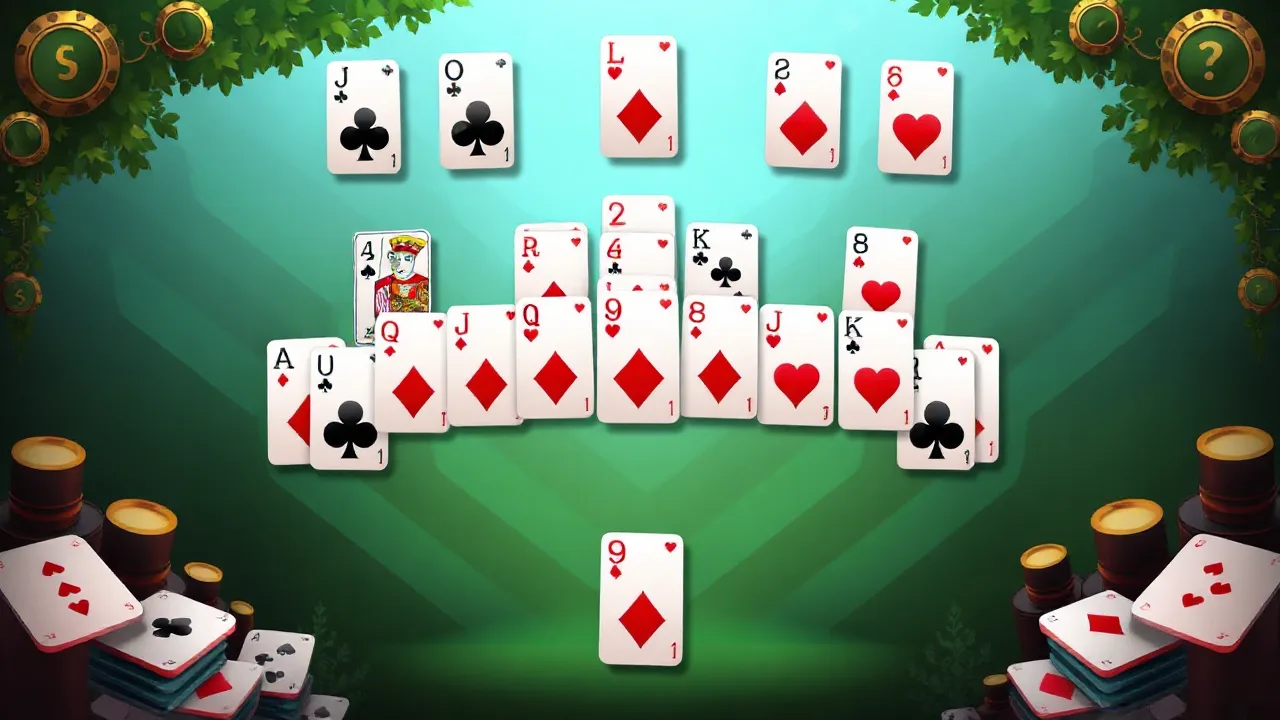
Updated puzzle titles may improve hints, object behavior, matching rules, sorting tasks, hidden object scenes, or simple visual feedback. These changes help players focus on solving instead of guessing what the game wants. That makes puzzle updates especially useful for calm browser sessions.
Good Puzzle Updates Reduce Guesswork
The thinking should come from the puzzle, not from broken clues or confusing actions.
🚗 Driving And Arcade Games With Cleaner Timing
Driving, racing, arcade, and action titles rely heavily on timing. If steering, movement, collision, aiming, or reaction windows feel wrong, the session becomes frustrating almost instantly.
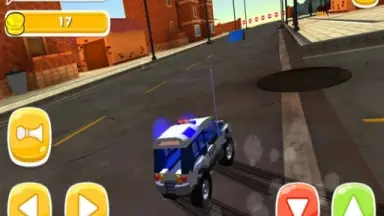
Updates can make these titles feel sharper by improving movement flow, road control, reaction timing, or visual clarity. That is important for faster game types because players need to understand what is happening while reacting quickly. A cleaner update can make a once-rough title feel playable again.
Fast Categories Need Readable Motion
Speed only works when the player can see, react, and control the result clearly.
🍔 Task Games With Smoother Pressure
Cooking, restaurant, management, and serving games often become better after updates because task flow matters so much. Recipes, orders, queues, timing, and customer actions need to feel organized.
If a game is too messy, players cannot tell whether they made a mistake or the system failed them. Updated versions may improve pacing, menu clarity, task order, or serving response. That keeps the busy feeling without turning the whole session into confusion.
Pressure Needs A Clean Structure
Busy games feel better when tasks stack up in a way players can actually read.
📱 Updated Layouts For Phones And Tablets
Mobile play changes everything. A button that works on desktop can feel tiny on a phone. A scene that looks clear on a monitor can feel crowded on a smaller screen.
Updated games may improve mobile layouts, tap zones, item size, screen spacing, or simple readability. Not every game fits every device, but better layout work makes a big difference. When controls and menus fit the screen, players can stay longer without fighting the interface.
Small Screens Need Cleaner Design
A mobile-friendly update should make actions easier to see and easier to tap.
🧭 A Smarter Way To Browse Updated Games
Use this page as a testing lane. Start with the type of game that fits your mood, then check whether the updated version feels better quickly. Puzzle games work well for calm focus, while action, driving, and arcade titles fit faster reactions.
Cooking and management games are better when you want tasks and pressure. Dress up, makeover, and casual titles are good when you want quick visual progress. Try a few updated games, keep the one that feels smoother, and leave the rest behind.
Do Not Force A Bad Fit
An updated game still needs to match your mood, device, and patience.
❓ Updated Games Questions
Why do updated browser games matter? They may offer cleaner controls, faster loading, or better pacing than older versions.
Can an update make a rough game worth replaying? Yes, especially when the update fixes input, layout, or performance issues.
Which updated titles should mobile players test first? Games with readable buttons, simple layouts, and touch-friendly actions are better starting points.
Are updated puzzle games usually clearer? They can be when hints, object behavior, or feedback have been improved.
What should players avoid on this page? Skip any game that still feels slow, confusing, or uncomfortable after the first test.
Test The Updated Picks On InsaneGamesOnline.com
The Updated Games page on InsaneGamesOnline.com helps players find refreshed browser titles with better flow, cleaner controls, smoother performance, clearer layouts, or practical fixes. From puzzle and arcade games to racing, action, cooking, management, dress up, makeover, and casual titles, updated games can make familiar sections feel worth checking again.
Pick an updated game, test it fast, and keep playing the titles that feel better now.















Freshly Tuned Games For Better Browser Sessions
The Updated Games page on InsaneGamesOnline.com is made for players who want browser games that have been refreshed, adjusted, or cleaned up recently. These titles are not only old games sitting in the same place forever. They may include better loading, cleaner controls, smoother menus, extra content, or changes that make the session easier to start.
Updated games are useful because a small fix can change how a title feels. A game that once seemed slow, awkward, or rough may become worth another try after improvements. This page gives players a faster way to test games that may now feel more stable, clearer, or better suited for quick online play.
🛠️ When A Small Update Makes A Big Difference
Not every update needs to be huge. Sometimes the most useful changes are simple things like faster response, clearer buttons, better screen layout, or fewer interruptions during play.
That matters because browser games need to prove themselves quickly. Players do not want to fight confusing menus or delayed actions before the main gameplay starts. Updated titles can give familiar games a cleaner second chance without forcing players to search the whole site again.
Better Flow Beats A Bigger Promise
A refreshed game works best when the first minute feels smoother than before.
🎮 Control Changes Players Notice Fast
Controls are usually the first thing players judge. Movement, aiming, dragging, steering, tapping, selecting, or timing needs to feel clear. When those actions feel slow or clumsy, even a good idea can lose players quickly.
Updated games may improve how the player interacts with the screen. Desktop players may notice better keyboard or mouse response. Mobile players may notice larger touch areas, cleaner menus, or easier object selection. These are practical changes, not decoration.
Input Feel Can Save A Game
When controls become easier to trust, the whole game becomes easier to replay.
⚙️ Performance Fixes For Quick Starts
Many players open InsaneGamesOnline.com for short breaks, so speed matters. Updated titles can be helpful when loading, browser response, and page behavior feel cleaner than before.
A game that starts quickly is easier to test. Players can open it, check the rhythm, and decide fast. Slow loading or rough performance makes that harder. Updated games can reduce that friction and make casual browsing feel less random.
Fast Testing Helps Players Choose
The better a game loads, the easier it is to keep or skip without wasting time.
🧠 Logic And Puzzle Titles With Clearer Feedback
Puzzle and logic games depend on clear feedback. Players need to understand what changed, what worked, and what still needs solving. If the game gives weak signals, the puzzle starts feeling unfair instead of smart.
Updated puzzle titles may improve hints, object behavior, matching rules, sorting tasks, hidden object scenes, or simple visual feedback. These changes help players focus on solving instead of guessing what the game wants. That makes puzzle updates especially useful for calm browser sessions.
Good Puzzle Updates Reduce Guesswork
The thinking should come from the puzzle, not from broken clues or confusing actions.
🚗 Driving And Arcade Games With Cleaner Timing
Driving, racing, arcade, and action titles rely heavily on timing. If steering, movement, collision, aiming, or reaction windows feel wrong, the session becomes frustrating almost instantly.
Updates can make these titles feel sharper by improving movement flow, road control, reaction timing, or visual clarity. That is important for faster game types because players need to understand what is happening while reacting quickly. A cleaner update can make a once-rough title feel playable again.
Fast Categories Need Readable Motion
Speed only works when the player can see, react, and control the result clearly.
🍔 Task Games With Smoother Pressure
Cooking, restaurant, management, and serving games often become better after updates because task flow matters so much. Recipes, orders, queues, timing, and customer actions need to feel organized.
If a game is too messy, players cannot tell whether they made a mistake or the system failed them. Updated versions may improve pacing, menu clarity, task order, or serving response. That keeps the busy feeling without turning the whole session into confusion.
Pressure Needs A Clean Structure
Busy games feel better when tasks stack up in a way players can actually read.
📱 Updated Layouts For Phones And Tablets
Mobile play changes everything. A button that works on desktop can feel tiny on a phone. A scene that looks clear on a monitor can feel crowded on a smaller screen.
Updated games may improve mobile layouts, tap zones, item size, screen spacing, or simple readability. Not every game fits every device, but better layout work makes a big difference. When controls and menus fit the screen, players can stay longer without fighting the interface.
Small Screens Need Cleaner Design
A mobile-friendly update should make actions easier to see and easier to tap.
🧭 A Smarter Way To Browse Updated Games
Use this page as a testing lane. Start with the type of game that fits your mood, then check whether the updated version feels better quickly. Puzzle games work well for calm focus, while action, driving, and arcade titles fit faster reactions.
Cooking and management games are better when you want tasks and pressure. Dress up, makeover, and casual titles are good when you want quick visual progress. Try a few updated games, keep the one that feels smoother, and leave the rest behind.
Do Not Force A Bad Fit
An updated game still needs to match your mood, device, and patience.
❓ Updated Games Questions
Why do updated browser games matter? They may offer cleaner controls, faster loading, or better pacing than older versions.
Can an update make a rough game worth replaying? Yes, especially when the update fixes input, layout, or performance issues.
Which updated titles should mobile players test first? Games with readable buttons, simple layouts, and touch-friendly actions are better starting points.
Are updated puzzle games usually clearer? They can be when hints, object behavior, or feedback have been improved.
What should players avoid on this page? Skip any game that still feels slow, confusing, or uncomfortable after the first test.
Test The Updated Picks On InsaneGamesOnline.com
The Updated Games page on InsaneGamesOnline.com helps players find refreshed browser titles with better flow, cleaner controls, smoother performance, clearer layouts, or practical fixes. From puzzle and arcade games to racing, action, cooking, management, dress up, makeover, and casual titles, updated games can make familiar sections feel worth checking again.
Pick an updated game, test it fast, and keep playing the titles that feel better now.