Fast Lane Obstacle Avoidance Titles
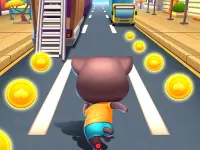
This tag groups titles connected by the mechanic of moving forward through busy environments while dodging hazards. The core loop centers on lane switching, sliding, jumping, and collecting items at speed. Pacing stays high and sessions often remain short, making the section useful for quick play breaks. Players use this label to find action titles built around reflexes and obstacle patterns.
Selecting By Pace And Device Fit
Players can pick based on mood, available time, and device, choosing between relaxed runs or pressure-heavy speed stretches. Controls vary by title, so selecting based on screen size and input comfort helps maintain steady reactions during lane changes and hazards.
Reflex-Focused Lane Switching And Speed
Most titles in this tag rely on lane switching, sliding under barriers, and jumping over obstacles to keep momentum. The repeated action is fast movement through corridors, streets, or tracks where timing decides survival. Many browser titles under this label use swipe or key inputs to shift lanes, and mobile browser play often fits touch controls when layouts support quick taps. No download access means players can test several titles quickly, which helps compare pacing and obstacle density. Desktop sessions may feel smoother when keyboard inputs map cleanly to lane changes.
Choosing Picks That Match Reaction Style
Start with shorter runs to gauge pacing before committing to longer sessions. Prefer titles where obstacles telegraph clearly, since visual clarity supports better lane decisions. When controls feel stiff, switch to another pick rather than forcing a session. Maintain awareness of collectible paths, since routes often shift between lanes and affect scoring pressure.
Why Players Return To This Tag
Players use this tag for quick-start action that fits short breaks or longer streaks when momentum stays strong. Replay value comes from learning obstacle patterns, improving route choices, and testing different speed settings. The section suits both mobile browser play and desktop sessions, depending on input comfort.
crazy games subway surfers FAQs
Q: What defines titles under the crazy games subway surfers tag? A: Fast lane movement, obstacle avoidance, and reflex-driven pacing connect the picks.
Q: Do these browser titles require downloads? A: Most run directly in-browser, letting players test multiple picks without installs.
Q: Can mobile browser play handle the speed of these titles? A: Many work well when touch controls and layouts support quick lane switches.
Q: How do players choose between slower and faster picks? A: Check speed settings, obstacle density, and session length before committing.