Sketching and Illustration Browser Titles
This collection focuses on digital art creation, sketching, and coloring activities within a browser environment. Typical player actions include selecting tools, choosing colors, and applying strokes to a digital canvas to build images from scratch or trace existing templates. The pacing varies from relaxed, open-ended sessions to structured challenges requiring specific visual outputs, making this section useful for both casual doodling and focused artistic practice.
Selecting Based on Creative Scope
Choose titles based on available time, preferred complexity, and whether the interface supports layers, brushes, or color palettes. Players looking for quick sketching picks might prefer simple canvas tools, while those with more time can explore detailed illustration tools with advanced features.
Canvas Tools and Interaction Patterns
Most titles under this label use click-and-drag or touch-and-swipe mechanics to render strokes in real time. The core loop involves selecting a tool, applying marks, erasing or undoing errors, and refining the composition until the desired image emerges. Many modern browser titles in this section support both mouse and touchscreen input, making them accessible across different devices. Depending on the title, additional features like layer management, brush customization, and color blending may be available. The pacing remains generally low-pressure, focused on steady progress rather than timed obstacles or competitive scoring.
Refining Your Sketching Approach
Start with basic shapes before adding detail to maintain proportional accuracy across the composition. Use undo and erase functions frequently to correct mistakes without restarting the entire piece. Players should experiment with different brush sizes and opacity settings to achieve varied line weights and shading effects. Maintaining a reference image nearby can help guide proportions and color choices during the sketching process.
Why Use This Tag for Browser-Based Art?
This tag provides immediate access to creative tools without requiring software downloads or account creation, making it suitable for quick artistic sessions. The collection supports both casual doodling and more structured illustration practice, depending on the chosen title. Players benefit from the low barrier to entry and the ability to save or export work directly from the browser interface.
Drawing FAQs
Q: Do sketching browser titles require drawing tablets? A: Many work well with mouse or touchscreen input, though tablets may offer finer control for detailed work.
Q: Can illustration tools be used for professional work? A: Some titles support layers and export features suitable for preliminary sketches or concept art.
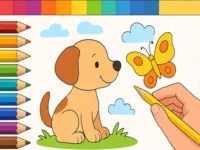
Q: Are coloring picks suitable for beginners? A: Yes, many provide templates and guided coloring sections for those new to digital art.
Q: How do browser-based sketching tools handle large canvases? A: Performance depends on the title, though most optimize rendering for standard browser environments.