What the hidden objects label groups
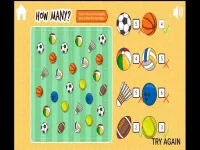
This tag groups titles built around locating items within cluttered scenes, often with timers, hints, or clue lists. Typical actions include scanning, tapping, zooming, and switching between areas to keep the search moving. Pacing ranges from relaxed, no-timer modes to timed rounds that reward quick observation. Browser titles under this label often load fast and fit short breaks, so hidden object picks suit both mobile and desktop sessions.
Picking by scene density and session length
Choose by scene density, timer pressure, and whether you want a calm mode, a hint-assisted mode, or a timed challenge for tighter focus. If mobile browser play matters, filter by touch-friendly layouts and readable icons to keep the search smooth.
Search flow, hints, and device fit
Core mechanics revolve around matching a target list, tapping to confirm finds, and using limited hints when clutter hides an object. Many modern browser titles support zoom, pan, and scene transitions, which help on smaller screens without losing clarity. Access-wise, no download games reduce setup, letting players jump straight into the search loop and test a few picks fast. Desktop sessions often feel steadier with a mouse, while touch controls work well when hit targets are large and spaced. Session length varies, but most hidden object sections support quick five-minute runs or longer, relaxed play.
Refining your shortlist
Start with the clearest visual style you prefer, then adjust hint settings to match your patience. Maintain focus by narrowing to one substyle, like mystery scenes or holiday themes, before testing timed rounds.
Why this tag rewards repeat browsing
Players use the hidden objects tag when they want a calm search loop that still rewards pattern spotting and careful scanning. Replay value comes from trying different scenes, switching between hint levels, and testing whether a timed mode sharpens attention. The section fits quick breaks and longer sessions, since many browser titles load fast and keep progress lightweight.
hidden objects FAQs
Q: Do hidden object picks need downloads? A: Many run inside modern browsers, so setup stays minimal and play starts quickly.
Q: Are clue-based play modes available? A: Yes, several titles offer hint systems, word lists, or visual guides to assist the search.
Q: Can touch controls work for searching? A: Many titles support tap and pinch when the layout provides large targets and readable icons.
Q: Is this tag suited to short breaks? A: Yes, many picks support quick rounds with light progress and optional timers.
























![Find All Brainrots! [55] image](/games-image/r42v3ogyi0lsuenn0hseh814ng007ymx/200x150.webp)