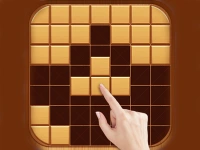
Pointer-Based Browser Titles
This tag groups many titles linked by the shared mechanic of using a mouse or trackpad to interact with on-screen elements. Common actions include aiming, selecting, dragging, and clicking through menus or scenes. Sessions can range from short puzzle picks to longer strategy or simulation choices. Access is browser-based, so most titles load without separate installers and work on desktops or laptops with a pointer device.
Choosing By Pace And Input Fit
Players can pick based on mood, session length, device type, and whether the pointer control feels comfortable for the chosen play style. Quick arcade picks suit short breaks, while longer strategy or hidden object titles fit extended time, and access needs matter when selecting browser titles that load without installers.
How Pointer Control Shapes Play
Pointer-based control emphasizes precision, timing, and menu navigation rather than keyboard movement or touch gestures. Many titles reward careful aiming, fast selection, or steady dragging, with pacing shaped by click frequency and scene complexity. Desktop and laptop setups usually provide the most reliable pointer support, though trackpad play can work when sensitivity fits the layout. Loading is generally fast for browser titles, and mixed genres appear under this label because the input method crosses puzzle, action, simulation, and search styles. The tag helps players focus on cursor-driven mechanics instead of theme or story.
Practical Selection Advice
Start by testing a short session to see whether the pointer feel suits the chosen pacing. Maintain a shortlist of titles where clicking, aiming, or dragging feels responsive on the current device. Check whether the layout supports quick restarts or menu access for smoother session flow. Use the tag to compare browser titles that match both time available and preferred interaction style.
Why This Tag Helps Session Planning
Players use this section when input method is a deciding factor, especially on desktops with a reliable mouse or on laptops with a trackpad. Browsing value comes from filtering by pointer control rather than theme, which speeds up selection for short or long sessions. Replay value often depends on precision, scene variety, and pacing, making the tag useful for quick repeat play or extended exploration.
mouse games FAQs
Q: Which devices work best for pointer-based browser titles? A: Desktops and laptops with a mouse or trackpad usually offer the most reliable control.
Q: Do these titles need downloads or plugins? A: Most run inside modern browsers without extra installs or plugins.
Q: Can trackpad play feel responsive? A: Yes, when sensitivity and layout suit the pointer actions involved.
Q: Are pointer-based picks only puzzle titles? A: No, the tag includes action, strategy, simulation, and search styles too.