Browsing Paint-Centered Browser Titles
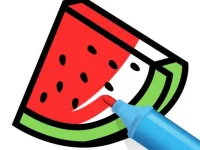
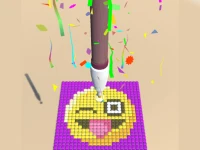
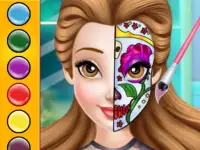
This tag groups many titles by a shared creative mechanic: applying color, sketching shapes, or filling scenes. Typical actions include picking palettes, brushing strokes, erasing mistakes, and saving completed work. Access is browser-based, often no-download, letting players start fast on desktop or mobile. Sessions can be short and relaxed, with pacing set by the player's own pace and mood.
Choosing Based On Mood And Device
Players choose by mood, time, device, and whether they want freehand sketching or guided fill tasks, then pick a title that fits the session. Sorting by access type, control style, or session length helps narrow choices, especially when switching between desktop browsers and mobile browser play.
Creative Controls And Browser Access
Most paint titles use pointer, touch, or stylus input, with brush size, opacity, and color selection as core controls. Browser access means no download games, quick loading, and compatibility across modern engines, though performance varies by device and title. Many mobile browser play options support touchscreen gestures, while desktop setups favor precise pointer control for detailed strokes. Mixed genres appear here because the tag covers coloring pages, freehand drawing, and scene painting, not one fixed mechanic.
Practical Selection Advice
Try a few short sessions to test brush responsiveness, undo depth, and color range before committing to longer work. Maintain a shortlist of preferred titles, since personal workflow and device comfort affect which painting tools feel natural.
Why The Paint Tag Helps Browsing
This tag works as a browsing shortcut for creative players, grouping paint-focused titles by shared mechanic rather than genre or story. Replay value comes from experimentation, new color schemes, and repeated practice on the same canvas or template. Quick sessions suit stress relief, while longer sittings support detailed work, making the section flexible across player needs.
paint FAQs
Q: What actions define paint titles? A: Brushing, coloring, erasing, and saving are the most common actions across the section.
Q: Do no download games in this tag load quickly? A: Many load fast in modern browsers, though large canvases may need more memory.
Q: Is mobile browser play reliable for painting? A: Many titles work well, but precise strokes depend on device touch sensitivity and screen size.
Q: How do I pick between freehand and guided coloring? A: Choose freehand for open sketching, or guided fills when structured coloring feels easier.