Local Multiplayer Browsing And Shared-Screen Access
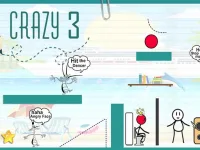
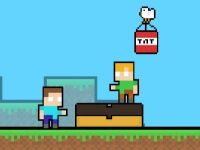
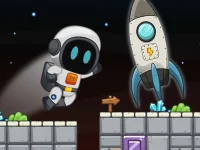
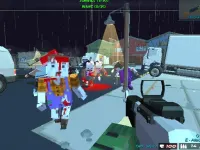
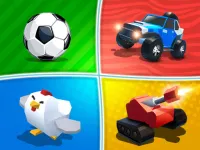
This tag organizes browser titles where two participants control separate characters on the same device. Typical actions include racing, fighting, puzzle-solving, or cooperative platforming, with pacing that supports quick rounds or longer matches. Access stays simple because most picks load in a browser without account setup, and the shared-screen format fits casual sessions at home or in a classroom setting. Players often look for two player browser titles that support split controls.
Choosing Based On Pace And Device Fit
Players can pick based on mood, available time, preferred pace, and whether the layout supports two sets of controls on one screen. Choosing a competitive pick suits short bursts, while cooperative choices fit longer shared sessions.
Shared Controls And Session Flow
Most titles under this label rely on split keyboard layouts, shared touch zones, or simple button mapping that keeps both players active. Action picks focus on reaction timing and positioning, puzzle choices emphasize coordination, and sports or racing types highlight pacing and quick decision-making. Device fit depends on screen size and input method; desktop layouts often feel cleaner, while touchscreen play works when buttons are large enough for two hands. Browser titles under this label usually load fast and avoid downloads, which helps when switching between picks quickly. Many two player browser titles fit short shared sessions on desktop or tablet screens.
Refining Selection Without Extra Setup
Check whether the layout matches your device, test control spacing before committing to a long round, and favor picks with short match times when session length is limited. Maintain awareness of pacing so both players stay matched in speed and input comfort.
Why This Tag Works For Shared Play
Players use this tag when they want immediate shared-screen play without extra setup, account creation, or separate hardware. Replay value comes from switching between competitive and cooperative picks, testing different control styles, and revisiting titles that fit a specific pair’s rhythm. The format suits both quick breaks and longer shared sessions depending on the chosen pick.
crazy games 2 player FAQs
Q: Do shared-screen browser titles need two keyboards? A: Many use split keyboard layouts on one keyboard, though some support two separate inputs.
Q: Can cooperative picks work on a single touchscreen? A: Many can, when touch zones are large enough for two players to act at once.
Q: Are competitive two player browser titles better for short sessions? A: Many fit quick rounds, especially when match timers are short and pacing is fast.
Q: How do I pick a title that fits two people on one device? A: Check control spacing, screen size, and whether the layout supports shared input comfortably.