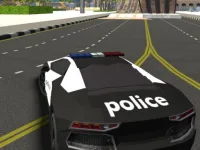
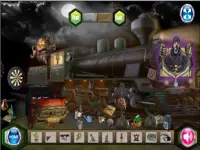
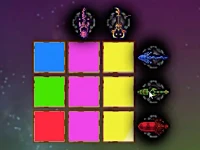
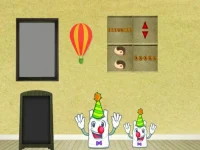
The touchscreen tag groups browser titles designed specifically for tap, swipe, and pinch controls on mobile and tablet screens. Players browse this section to find titles that respond instantly to finger inputs rather than relying on traditional keyboard or mouse setups. This access label helps users filter for mobile browser play that loads quickly without downloads.
Last Updated:
Direct Touch Control Access
This tag organizes titles where the primary interaction method relies on direct contact with the screen surface. Players can expect intuitive controls that use natural gestures to move characters, select items, or solve puzzles. The collection includes various genres like puzzle logic, arcade reflexes, and hidden object searches, all adapted for touch interfaces. Loading is generally fast, allowing players to jump into action without complex setup steps.
Finding The Right Touch Titles
Choose based on device size, preferred pacing, and whether you want casual taps or more complex swipe combinations. Consider session length, as some touch-optimized titles work best for quick rounds while others suit longer play periods. Look for mobile browser play that matches your current mood and available time.
Control And Interface Fit
Touch controls often replace keyboard inputs with on-screen buttons, swipes, or direct tapping on objects. Many titles adjust their layout to fit different screen sizes, making them playable on both phones and tablets. The interface usually features larger buttons and clear visual feedback to support accurate finger input. Some titles may require multi-touch gestures for special actions or menu navigation. Players should check if the title supports their specific device orientation, as some work only in portrait or landscape mode.
Improving Your Touch Sessions
Start with simpler titles to get used to the control sensitivity before trying more complex ones. Maintain a clean screen to prevent accidental taps or missed swipes during important moments. Try adjusting device brightness if visual details are hard to see in certain titles. Consider using a stylus for more precise input in puzzle or hidden object sections.
Why Touch Labels Matter
This tag saves time by filtering out titles that require external controllers or keyboard inputs. Players can quickly identify which browser titles will work on their current device without compatibility issues. The section offers practical browsing for anyone who prefers direct screen interaction over traditional control methods.
touchscreen FAQs
Q: Do touch titles work without a keyboard? A: Many are designed to use only screen taps and swipes for all actions. Q: Can tablet screens handle complex touch controls? A: Larger screens often provide more space for accurate input and interface elements. Q: Are touch-optimized titles slower to load? A: Most load quickly since they are built for mobile browser efficiency. Q: Do all touch titles support both portrait and landscape? A: Some may be designed for one orientation, depending on the title's layout needs.